Skip to content
Good Fork Download Good Fork

Less time figuring out dinner. More time enjoying it.

Save recipes you love, plan what sounds good, and turn it all into one grocery list. Good Fork makes the planning and shopping easier, so you can get back to the fun part: cooking.

Download Good Fork on the App Store

On iPhone and iPad. Coming soon to Android.

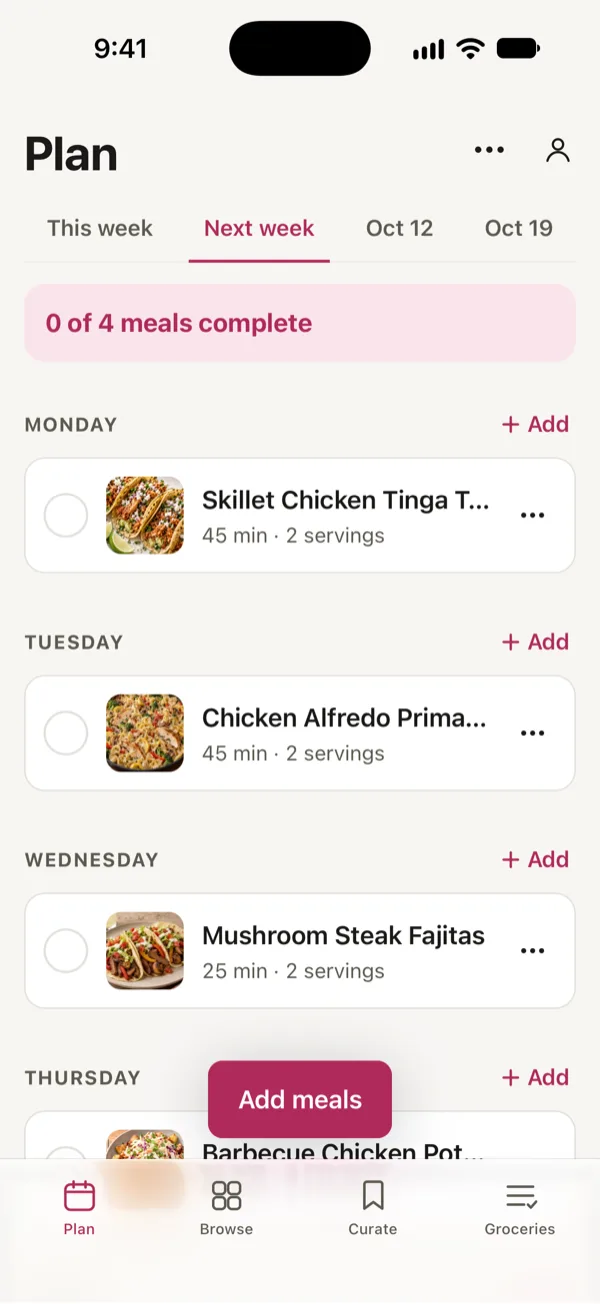
Good Fork’s Plan for next week: Skillet Chicken Tinga Tacos on Monday, Chicken Alfredo Primavera on Tuesday and Mushroom Steak Fajitas on Wednesday.
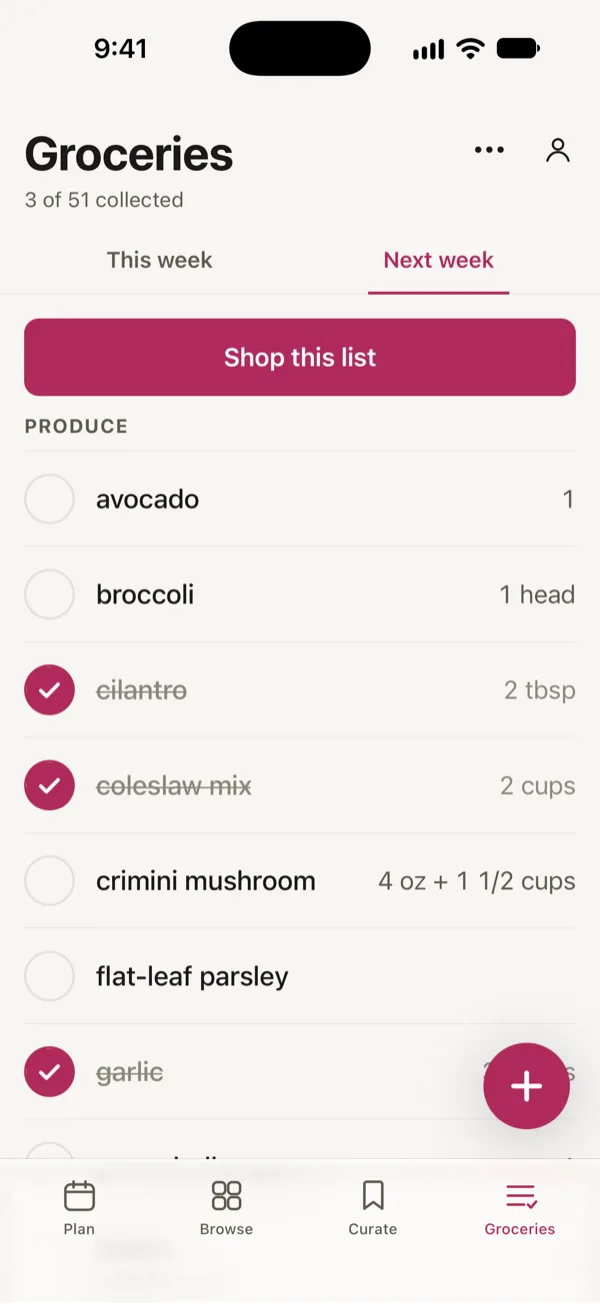
Good Fork’s grocery list for next week, sorted by aisle, with three items checked off and Shop this list at the top.

From “what should we eat?” to dinner.

  1. SaveKeep the recipes you love

    Found something delicious? Save it from a link, a social post, a cookbook page, or a friend's text. All in one place.

  2. PlanChoose this week’s meals

    Pick what sounds good. Put meals on the calendar, or keep a flexible list and decide as you go.

  3. ShopGet one grocery list

    Good Fork gathers everything you need, organized by aisle with quantities combined. Ready when you are.

  4. CookCook with us beside you

    Follow along with easy-to-read steps, built-in timers, and portions that fit whoever's at the table.

Made for how you eat

Every kitchen has its own rhythm.

Cooking for yourself

Put on your favorite playlist. Make exactly what sounds good. Your kitchen, your rules.

  • Keep all your favorite recipes in one place.
  • Make just enough, or plenty for leftovers.
  • Turn your meal plan into one ready-to-shop grocery list.
  • Find something delicious to make with what you already have.

Two of you

Put on some music. Pick something delicious. Make a little mess together.

  • Add groceries from either phone, even with Siri.
  • Shop in-store or order online with Kroger or Walmart.
  • Share one meal plan and a grocery list that stays in sync. PRO
  • Cook side by side, each on your own phone, with shared timers. PRO

Cooking For a Family

More mouths to feed, more opinions to consider, and plenty of chances to make something everyone loves.

  • Make enough for everyone at the table.
  • Save family favorites and find kid-friendly recipes.
  • Keep the whole household on one meal plan and grocery list. PRO
  • Let the kids request dinner while the adults make the plan. PRO

Cooking With Housemates

Some nights it's dinner together. Other nights, everyone's doing their own thing. Either way, the group chat doesn't need to be your grocery list.

  • Plan meals together, or simply stay on the same page.
  • Let everyone add what they need from their own phone.
  • Order groceries for pickup or delivery with Kroger or Walmart.
  • Cook together or separately, whenever it works for you. PRO

PRO Some features are part of Good Fork Pro. One subscription covers everyone in your household.

Save recipes

Keep the recipes you already love.

That recipe you spotted on Instagram. The handwritten card you've had forever. The dish a friend sent you. Bring them all into Good Fork, where they're easy to find, plan, and cook.

  • Save recipes from food blogs, Instagram, TikTok, YouTube, Facebook, and Pinterest.
  • Scan a cookbook page, recipe card, or screenshot.
  • Moving from another recipe app? Bring your collection along if the app lets you export it.
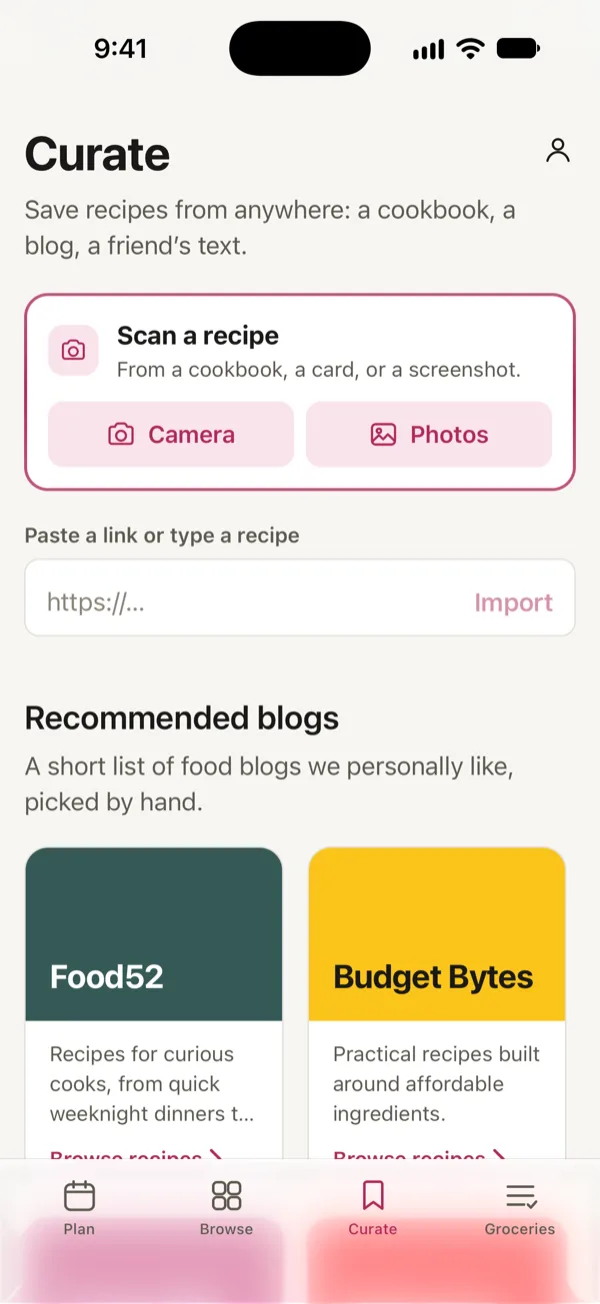
Good Fork’s Curate screen: scan a recipe with the camera or from photos, or paste a link.

Remix PRO

Make any recipe your own.

Not a fan of mushrooms? Leave them out. Want to make a dish vegetarian, add a little heat, or try something completely different? Remix helps you put your own spin on a recipe.

  • See what's new, changed, or removed in the ingredients and cooking steps.
  • Keep the original recipe just the way you found it.
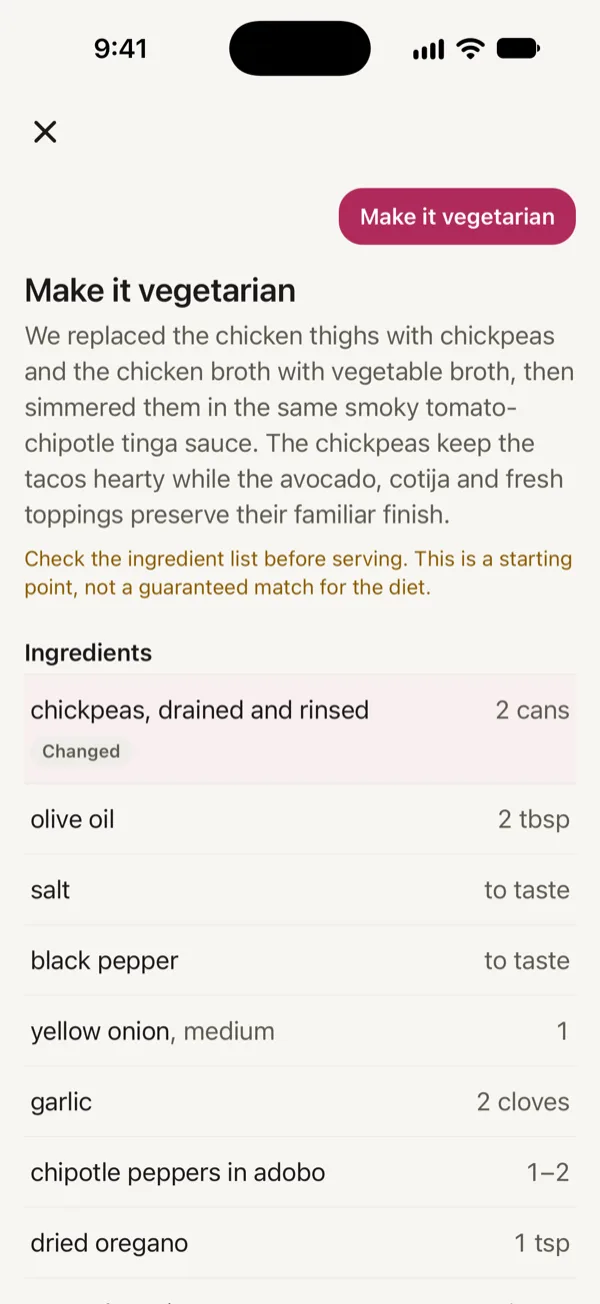
A Remix of Skillet Chicken Tinga Tacos made vegetarian: chickpeas in place of the chicken thighs, marked Changed.

Plan and shop

One plan. One grocery list.

Pick what sounds good this week, and Good Fork builds your grocery list with everything organized by aisle. Shopping together? Split up the store and see what's been checked off in real time. No more buying the same thing twice.

  • Keep your list handy on your phone or Apple Watch.
  • Shop in-store or order online with Kroger or Walmart.
  • Share a grocery list that updates instantly as everyone shops. PRO
  • Plan and shop by week, up to four weeks ahead. PRO
Good Fork’s Plan for next week: Skillet Chicken Tinga Tacos on Monday, Chicken Alfredo Primavera on Tuesday and Mushroom Steak Fajitas on Wednesday.
Good Fork’s grocery list for next week, sorted by aisle, with three items checked off and Shop this list at the top.

Cook along

Now for the fun part.

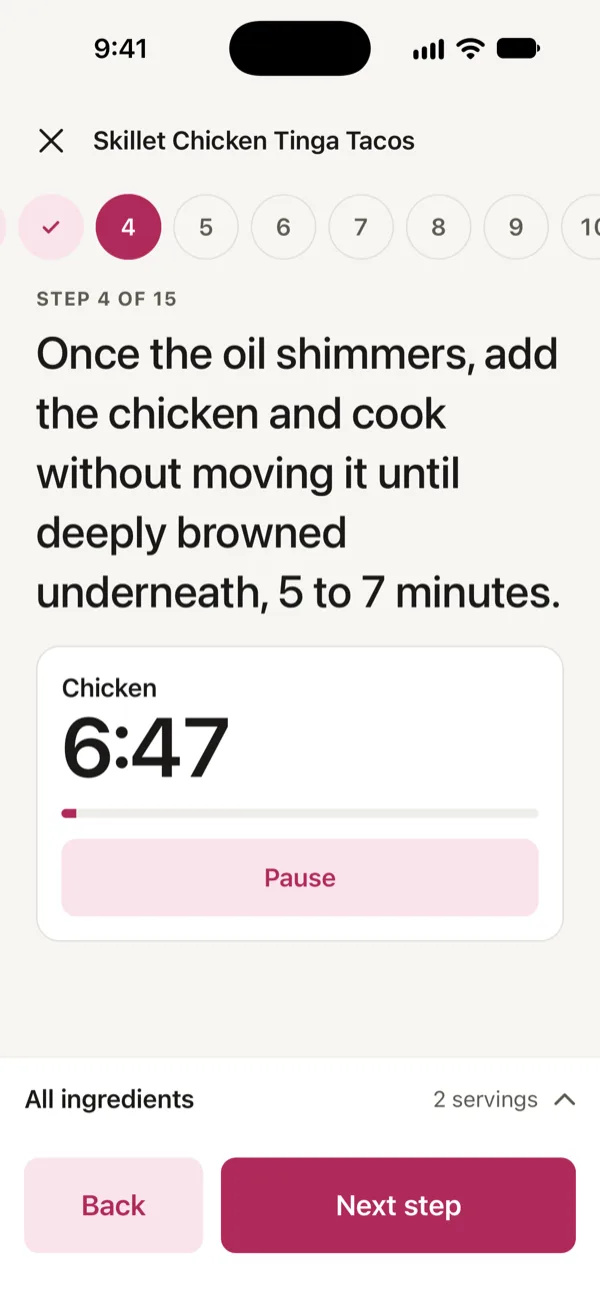
Put on some music and find your rhythm. Good Fork guides you through thoughtfully organized steps, so while the chicken broils, you can get the next thing ready. Cooking together? Everyone can follow along at their own pace, without missing a beat.

  • Follow clear, practical steps that make the most of your time in the kitchen.
  • Switch devices without losing your place, with timers on your Lock Screen and Apple Watch.
  • Cook together from your own phones, see which step everyone is on, and share timers. PRO
Cooking Skillet Chicken Tinga Tacos in Good Fork: step 4 of 15 with the chicken timer running.

Kids PRO

The kids get a say, too.

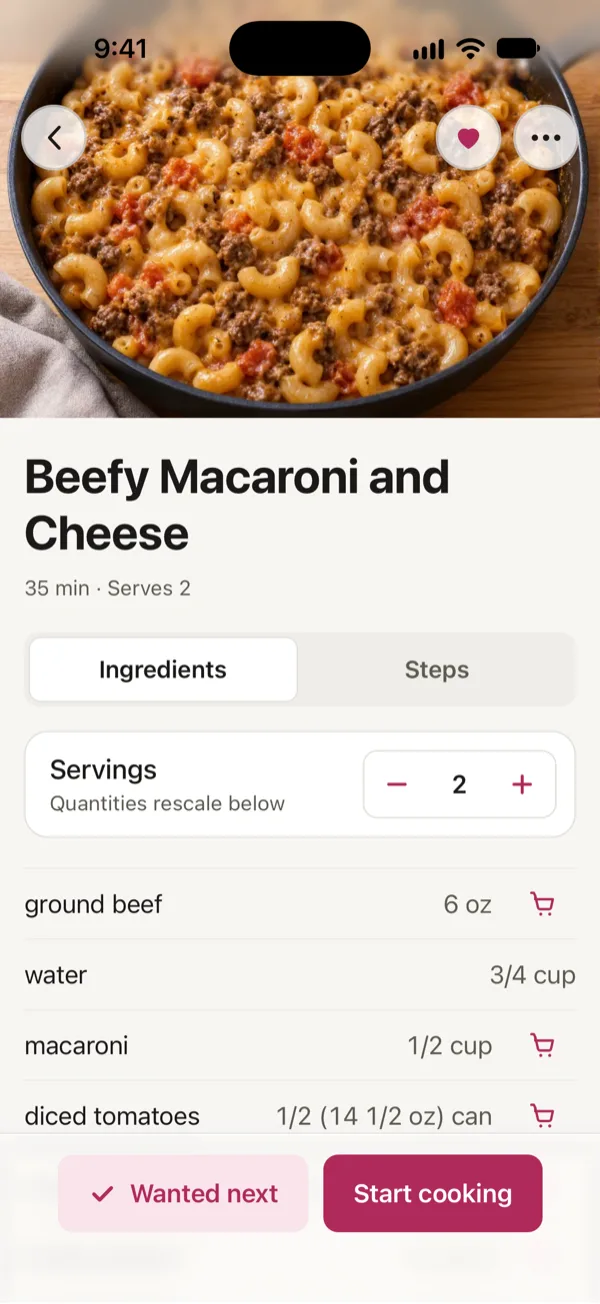
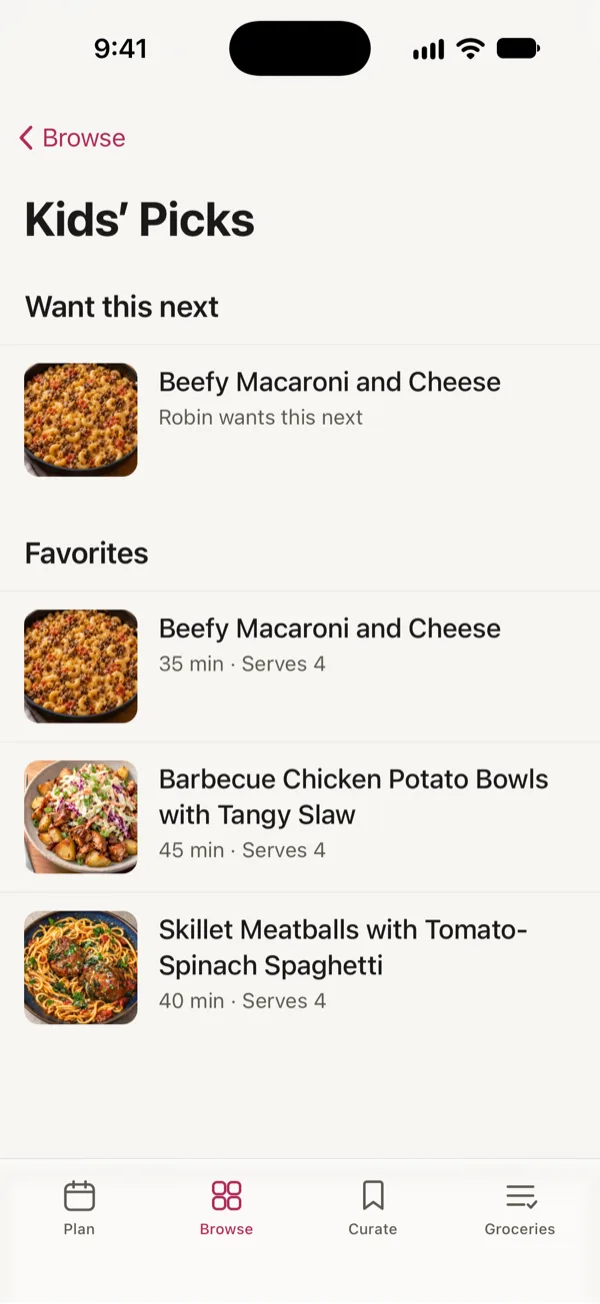
You know that “Can we make this again?” question? Now there's a place for it. Kids can explore recipes, save their favorites, and tell you what they're craving next. Their picks show up when you plan, but you still decide what's for dinner

  • Give kids their own space to browse recipes and request meals.
  • No phone? Mark recipes your kids love as Kid Friendly yourself.
  • You stay in charge of what makes it onto the meal plan.
Beefy Macaroni and Cheese on a Kid’s phone in Good Fork: the heart is filled in, and Wanted next sits beside Start cooking.
Kids’ Picks in Good Fork: Robin wants Beefy Macaroni and Cheese next, above three Favorites.

Free and Pro

Free to start. Pro when your household wants more.

Free

Everything you need to plan, shop and cook for one.

  • Plan this week
  • One grocery list, shopped in store or online
  • Cook along with timers
  • Every Good Fork recipe, and 15 of your own

Pro PRO

One subscription covers everyone in your household.

  • Share your household: a Sous Chef, and Kids with their own accounts
  • Plan up to four weeks ahead
  • Save as many of your own recipes as you like
  • Remix any recipe
iPhoneiPadAndroidWebApple Watch

Questions

What does Good Fork cost?

Good Fork is free to start. Good Fork Pro is $3.99 a month or $34.99 a year, and one subscription covers everyone in your household.

Can I use Good Fork on my own?

Yes. Everything in Good Fork works for one person. Sharing a household with a Sous Chef or Kids is part of Pro.

Where does Good Fork work?

Good Fork launches on iPhone, iPad, Android and the web, with Apple Watch for cooking and your grocery list.

Is the plan shared with my household?

Yes. Everyone in your household sees the same meal plan and grocery list, updated on every phone as soon as anyone makes a change.

Can I bring recipes from another app?

Yes. If your recipe app can export your recipes, Good Fork can import them. You can also save recipes from a link or scan them from a cookbook.

How do kids take part?

With their own Kid account, kids browse recipes, mark Favorites and say Want this next, and adults see their requests when they plan. Kids don’t change the plan. For kids without a phone, adults mark recipes Kid Friendly.

Good Fork

Less time managing dinner. More energy for making it.

Plan the week, shop one list, and cook with us beside you.

Download Good Fork on the App Store

Coming soon to Android.