Free tool
Free Grocery List Template Tool
Make your grocery list right here, and we'll organize everything by store aisle as you add it. When you're ready to shop, print your list or save it as a PDF. It's completely free, with no account or sign-up required.
This grocery list sorts by aisle with JavaScript. Turn it on in your browser to use it.
Grocery list

Your grocery list is empty. Add what you need and we’ll sort it by aisle.
Your list is saved privately in your browser.
Print your grocery list or save it as a PDF
Your grocery list is ready to print whenever you are. Select Print List to get a clean shopping list with items grouped by aisle and a checkbox beside each one.
Print a copy to bring to the store, or save the PDF on your phone. You can make changes to your list and print an updated version whenever you need one.
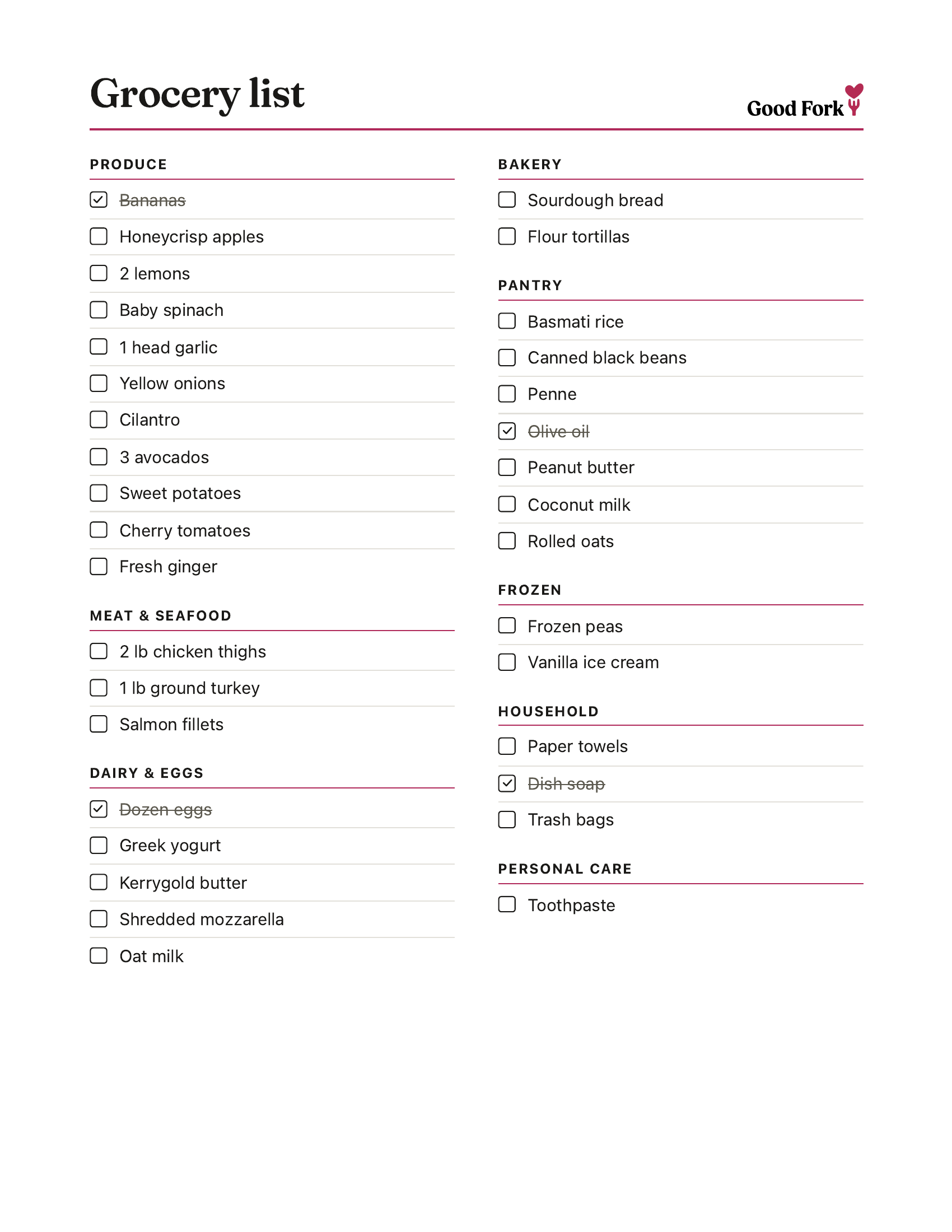
Why organize your grocery list by aisle?
Organizing your grocery list by aisle puts items you'll find near each other in the same place on your list. Instead of searching through everything you've written down, you can focus on one section of the store at a time.
For example, you'll find your onions, carrots and spinach together under Produce. Milk and eggs will be grouped under Dairy & Eggs, while rice and pasta appear with your pantry items.
This makes it easier to work through your list without repeatedly checking whether you missed something in a section you've already visited.
Every grocery store is arranged a little differently, so you can move items between categories to better match where you shop.
Popular grocery list methods
If you're unsure what to put on your grocery list, a simple shopping method can give you a place to start. Two commonly discussed approaches are the 5-4-3-2-1 and 3-3-3 grocery rules.
What is the 5-4-3-2-1 grocery rule?
The 5-4-3-2-1 grocery rule is a shopping framework that uses a countdown to help you choose groceries from different categories.
One popular version suggests buying:
5 vegetables
4 fruits
3 proteins
2 sauces or spreads
1 grain
Other versions use two starches or finish with a favorite treat. There's no need to follow the numbers exactly.
What this helps with: The 5-4-3-2-1 rule encourages you to think about variety before filling your cart. It gives you a simple way to choose ingredients across several food groups without having to plan every meal in advance. It can be particularly helpful when you know you need groceries for the week but aren't sure where to start.
You can use the grocery list maker above to add your choices and organize them by aisle before heading to the store.
What is the 3-3-3 grocery rule?
The 3-3-3 grocery rule starts with three ingredients from each of three food groups.
One version uses three vegetables, three proteins and three carbohydrate staples.
For example, you might choose broccoli, bell peppers and spinach for vegetables, then chicken, eggs and black beans for proteins. Rice, pasta and tortillas could round out the list.
There are several versions of this method, including one that uses fruits, vegetables and proteins instead.
What this helps with: The 3-3-3 rule encourages you to shop with a smaller, more intentional set of ingredients. By choosing foods that work together, you can make different meals throughout the week without buying something new for every recipe. It's especially useful when you're shopping on a budget or trying to use up more of what you buy.
Both methods are optional starting points. You can always add other groceries your household needs.
Want your grocery list built from your meal plan?
This free grocery list maker works well when you already know what to buy. But if you regularly plan meals for the week, Good Fork can build the shopping list for you.
We've been meal planning for three years, and that experience helped shape the grocery list we built into Good Fork.
Save recipes you love, choose what you're making this week, and Good Fork brings the ingredients together into one grocery list. Matching ingredients and quantities are combined, and everything is organized by aisle.
You can also use Good Fork to shop your list in the store or send it to Kroger or Walmart for online shopping. With Good Fork Pro, people in your household can share a meal plan and grocery list that stay in sync.
Need ideas for the week? Browse our recipes to find something you'd like to make.
Frequently asked questions
Is this grocery list template really free?
Yes. Good Fork's grocery list maker is free to use without creating an account. You can add ingredients, organize your list by aisle and print it or save it as a PDF.
How do I make a printable grocery list?
Add your groceries to the list maker at the top of this page. Your items will be grouped into grocery categories automatically. When you're finished, select Print List and choose your printer or your browser's PDF option.
Can I make a grocery list organized by aisle?
Yes. Enter or paste your grocery items into the list maker, one per line, and Good Fork will automatically sort recognized ingredients into their grocery aisles. You can also add custom items and change any item's aisle to match how your store is organized.
Does my grocery list save automatically?
Yes. Your list is saved in the browser you're using, so it will still be there when you return on the same browser and device, provided its stored data hasn't been cleared. Your list doesn't sync between devices, and clearing your browser's site data may remove it. Save a PDF if you'd like a separate copy.
Can I use this grocery list maker on my phone?
Absolutely yes! If you're looking for an online grocery list that you can take with you to the grocery store you can use the above tool. Items are sorted by aisle and can be marked as you go. Or — you can stick to printing.
Can ChatGPT make a grocery list?
Yes. You can ask ChatGPT to create a grocery list from recipes or a meal plan. You'll still want to check that the suggested items and quantities match what you're making. If you want to organize and print the resulting list by aisle, you can enter those ingredients into the free grocery list maker above.
What if an ingredient is in the wrong aisle?
You can change the aisle of any item on your list. Store layouts vary, and some ingredients appear in different sections depending on where you shop. Your chosen aisle will be reflected in your printable list.